
Phones & Tablets
A New Smartphone for Mom or Dad: A Realistic First Week Plan
The phone is the easy part. Teaching someone you love to actually use it, without either of you losing patience, is where most families get stuck.

Phones & Tablets · Blog
Five small, common phone glitches explained in plain language, with the quick check that usually fixes each one.
5 min read Orange County & Laguna Woods
A text won't go through. A photo sits there spinning and never finishes sending. The screen looks different than it did yesterday and you can't figure out why. None of these things mean your phone is broken, and they definitely don't mean you did something wrong.
These are the calls and emails we get most, small glitches that feel bigger than they are because they show up right when you're trying to reach someone. Here are five of the most common ones, what's actually happening, and the quick thing to check before you decide it's serious.
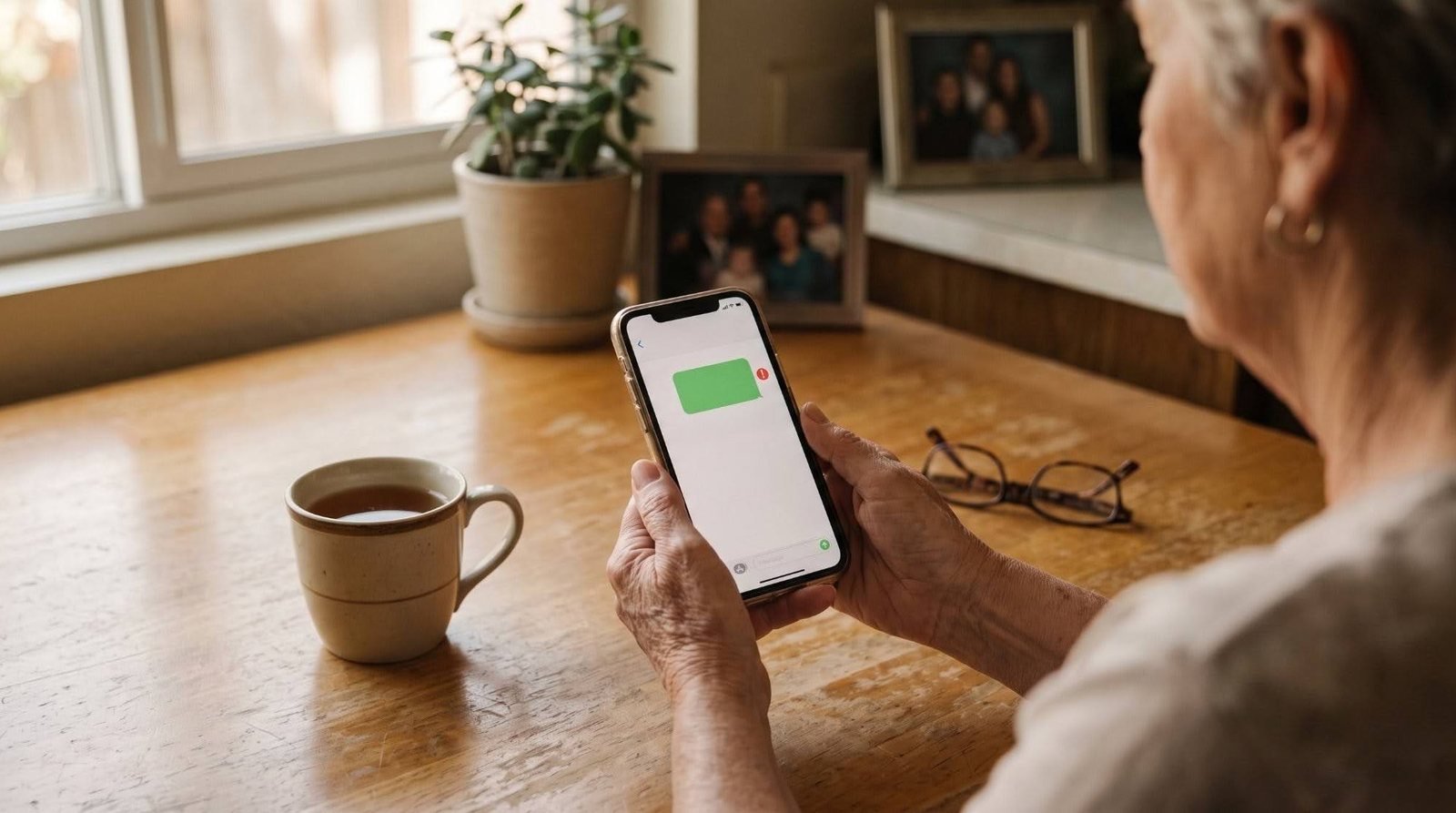
Your phone uses two different systems to send texts. iMessage, the blue one, only works between iPhones and needs an internet connection, either Wi-Fi or cell data. Green means it switched to a regular text message instead, which can happen if the other person has an Android phone, or if your iPhone's internet connection dropped for a moment. If a text keeps failing to send, check two things: does your phone show a signal bar or a Wi-Fi symbol right now, and is the other person using an iPhone or an Android. Green isn't a mistake, it's just an older, different system stepping in, and most stuck texts go through fine once your connection comes back.
A photo is a much bigger file than a text, and if your cell signal is weak, that bigger file can get stuck trying to push through. This is almost never the phone itself failing, it's the network struggling to move a large file over a thin connection. Try connecting to Wi-Fi if you're home, or send just one photo instead of three or four at once, both usually clear it right up within a minute.
Phones slow down for the same boring reason computers do: too many apps left open in the background, or storage getting close to full. It doesn't mean the phone is wearing out or nearing the end of its life. Turn the phone all the way off and back on, that clears out whatever's clogging things up, and take a look at your storage settings while you're in there, since a nearly full phone runs noticeably slower no matter how new it is.
Small Glitch, Small Fix
If a fix like this is all you need, we offer quick fix visits at the same $150 hourly tech education rate, no big project required. We come to homes across Orange County and Laguna Woods for exactly this kind of thing.
If notifications are suddenly flooding in or have gone quiet altogether, that's a settings mismatch, not a malfunction. Every app has its own notification switch tucked inside your phone's settings, and it's easy for one to get flipped by accident, especially right after an update. It's usually a simple fix once you know where to look, and it's not something you broke.
An accidental swipe, a phone bumped around in a purse or pocket, or one stray tap can change your brightness, your text size, or move a button you use every day. It feels alarming because the phone suddenly looks unfamiliar, but nothing is actually wrong with it underneath. This is one of the most common things we get called about, and it's usually a thirty second fix once someone shows you exactly where the setting lives.
None of these five things mean you need a new phone or that something is fundamentally wrong with the one you have. They're small, known glitches with small, known fixes, the kind that are genuinely worth five minutes of someone's attention rather than a full afternoon of worry.
If the phone is brand new and every day brings a new glitch, a slower start helps. Our first week plan for a parent's new smartphone covers what to teach first. And if the problem is a laptop rather than a phone, here is how to decide whether to buy new or fix the old one.
Ready When You Are
Call or email, tell us what's giving you trouble, even if it sounds small, and we'll take it from there. No pressure, and no obligation.
(949) 994-2407Keep reading
Phones & Tablets
The phone is the easy part. Teaching someone you love to actually use it, without either of you losing patience, is where most families get stuck.

Computers
It's not that your mom isn't careful enough, it's that her computer was never actually set up to protect her.

Photos & Frames
Three real ways to share family photos with a parent, and why running all three at once is the actual problem.